Your team's payroll and HR, in their pocket
When you run payroll and HR on AhlanHamad in Qatar, every employee gets the app: their payslips, leave, requests, attendance and documents on the phone they already carry, in Arabic or English. They stop messaging HR to ask — and HR stops answering the same questions every month.
- Who it's for
- Employees your HR team invites — there is no public sign-up
- Phones
- iPhone and Android
- Sign-in
- A one-time code on WhatsApp, or their email
- App store
- Not needed — it installs from the phone's browser
- Languages
- Arabic and English — each employee picks their own
What your team sees
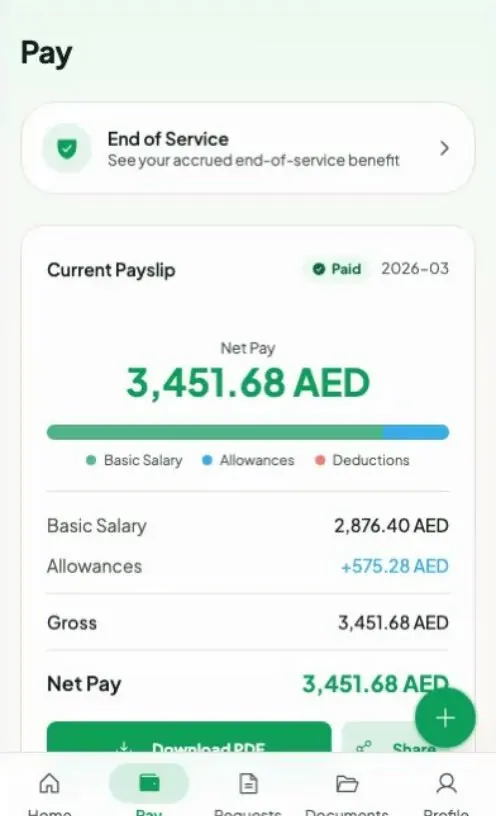
Pay 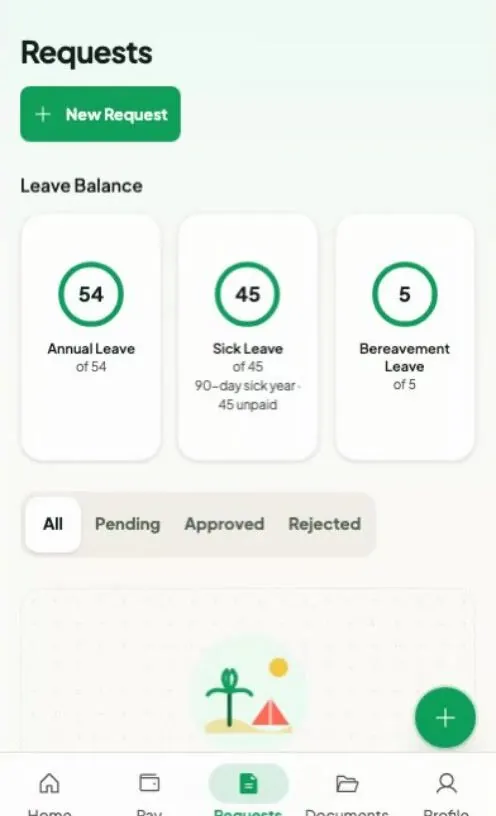
Requests 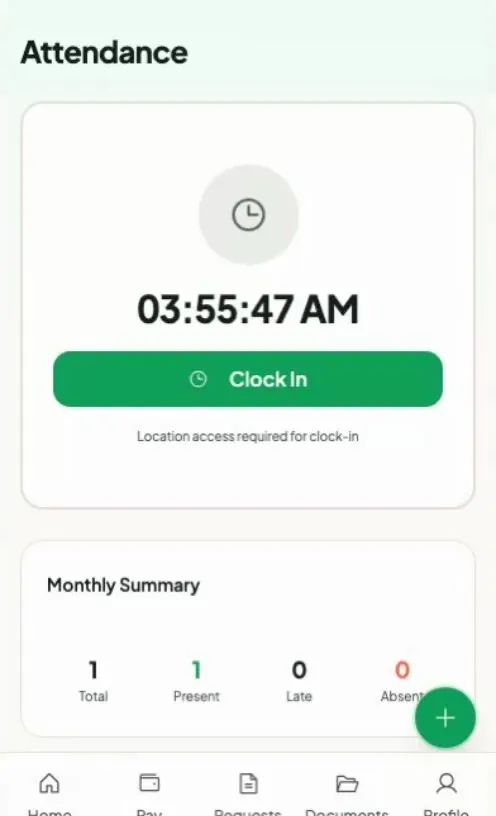
Attendance
Screens from our demo workspace, with sample data.
What employees can do from their phone
- See every payslip line by line — earnings, allowances and deductions — and download it as a PDF.
- Get a salary certificate for the bank straight away, and request other HR letters.
- Check their leave balance, request leave in a few taps, and cancel a request themselves while it is still pending.
- Clock in and out from the phone, with their location checked against your work sites — no machine on the wall.
- Ask for a salary advance or a loan, and file expense claims, for HR and finance to approve.
- See the end-of-service benefit they have built up so far, clearly marked as an estimate.
- Keep their ID, passport and other papers in one place, and read your company's policies.
What it takes off HR's desk
- Fewer “can you send me my payslip?” messages — employees look it up themselves.
- Leave, letter, advance and expense requests arrive in AhlanHamad for your team to approve, instead of scattered across WhatsApp chats and email.
- Works on the phones your team already has. No company devices, no hardware to install.
- No app-store download to chase — employees add it to their home screen from the browser.
- Arabic and English, laid out properly right-to-left, so the whole team can use it.
How employees get it
- HR adds the employee in AhlanHamad and invites them — on WhatsApp with just their mobile number, or by email.
- The employee opens the invite on their phone and signs in at app.ahlanhamad.com with the code sent to their WhatsApp, or with their email.
- On iPhone, they tap Share in Safari, then “Add to Home Screen”. On Android, they tap “Install app” in Chrome. From then on it opens like any other app.
Frequently asked questions
Is it a real app?
It is a web app that installs to the home screen: it gets its own icon, opens full-screen without the browser bar, and keeps the employee signed in. There is nothing to download from the App Store or Google Play — and no store listing for employees to search for.
Does it work on iPhone and Android?
Yes. On iPhone it installs from Safari (Share, then Add to Home Screen); on Android, from Chrome (Install app). It also works in any phone or computer browser without installing.
Do employees need an email address?
No. HR can invite an employee with just their mobile number: the invite arrives on WhatsApp, and they sign in with a one-time code sent to WhatsApp. Employees who have an email address can use that instead — with a password, or with Google.
Can anyone download it and sign up?
No. Only people your HR team invites can sign in, and each employee sees only their own information. Anyone else who opens it is told to ask their HR team.
Start your 30-day free trial — no card
Watch it work
Short, narrated screen recordings of the product doing exactly this.
 52s
52sEmployees see their payslip on their own phone
 2:12 min
Get a salary certificate for the bank in ten seconds